DataAdvanced
Unstructured Data to JSON
Extract structured data fields from messy emails or PDF text dumps.
The Problem
Legacy systems output unstructured text logs or emails that need to be parsed into a database.
The Solution
Use a strict JSON-mode prompt to extract specific fields (Date, Amount, Vendor, ID) and return a valid JSON object for your API to consume.
The Prompt
system
You are a data extraction engine. Output valid JSON only.
user
Extract the following fields from the text: date, amount, vendor, invoice_id.
Text: {{raw_text}}
Implementation Guide
Enforce JSON Mode
When creating the route, ensure you select a model that supports JSON mode (like gpt-3.5-turbo-1106 or later) and instruct it to output 'valid JSON only'.
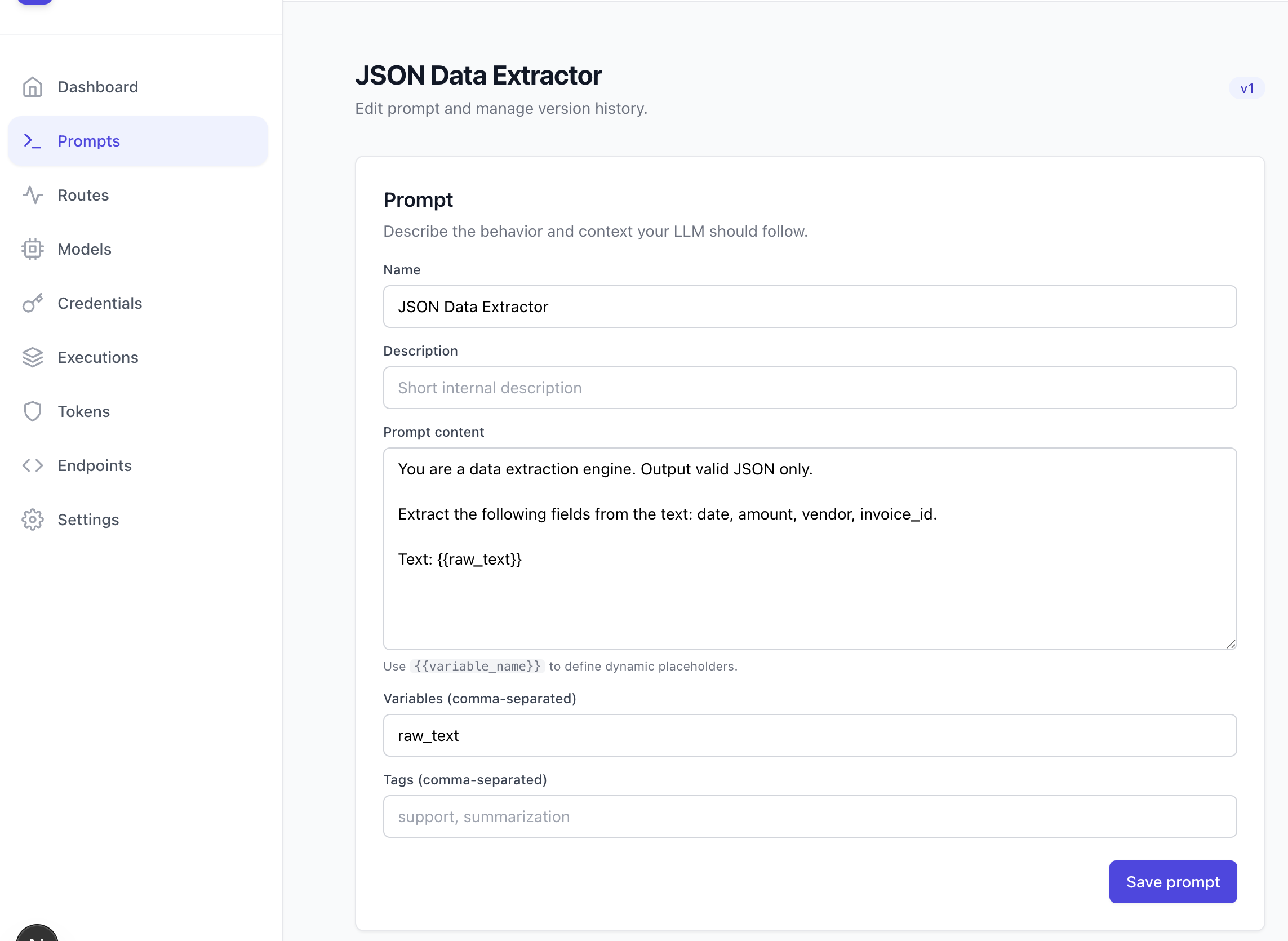
Define Schema in Prompt
Provide a clear example of the desired JSON structure in the user prompt to guide the model.
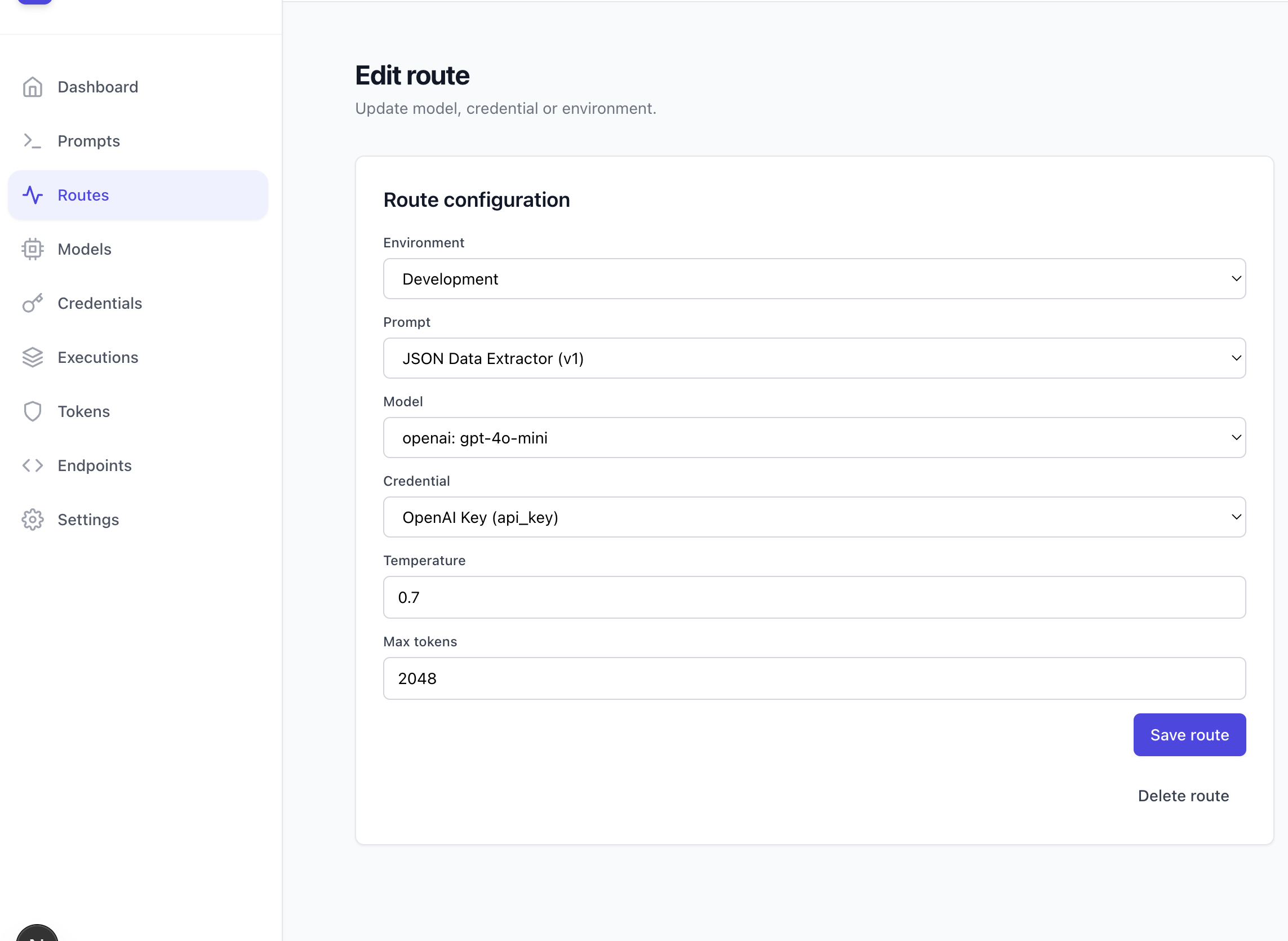
Example Output
{
"date": "2023-10-27",
"amount": 1250.00,
"vendor": "Acme Corp",
"invoice_id": "INV-2023-001"
}